Audio-video conferencing

Meeting rooms that just work.

We design, install and run Microsoft Teams Rooms, from a two-seat focus room to a town hall. Join with one touch, and everyone is seen and heard.

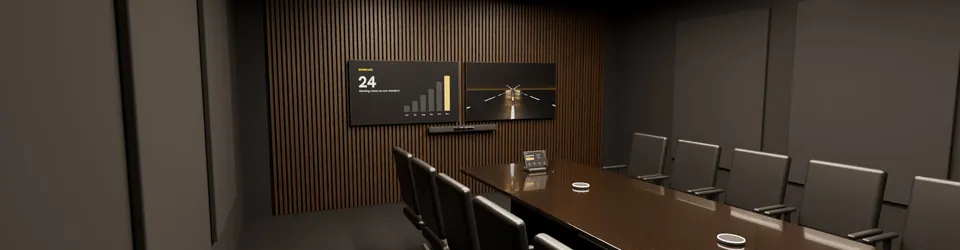
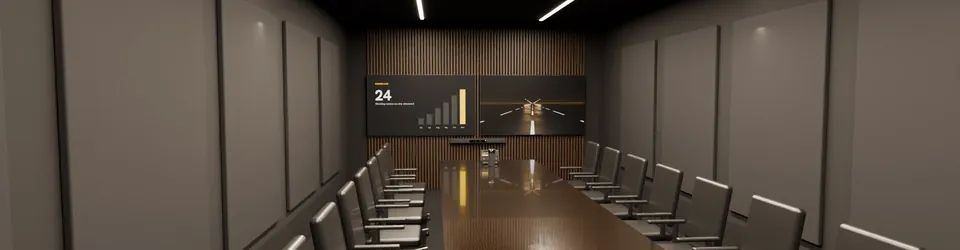
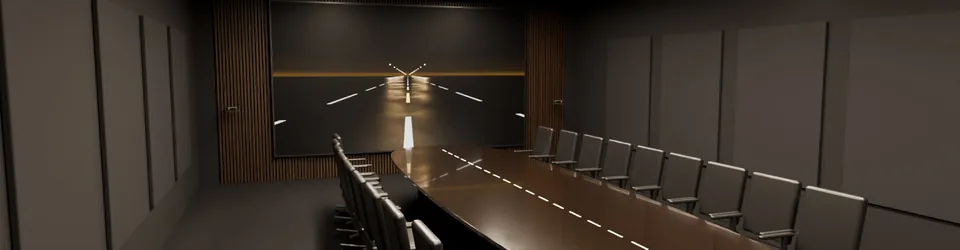
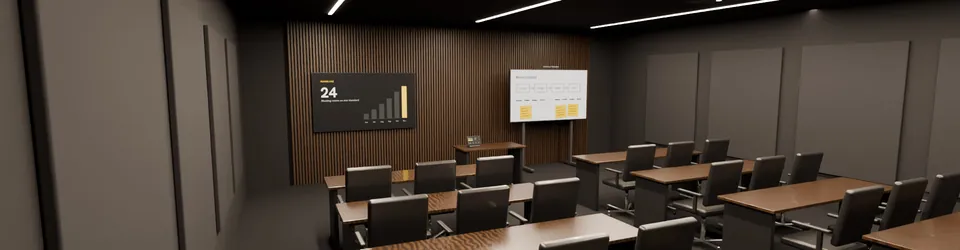
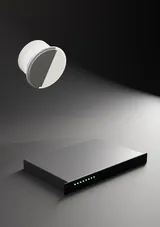
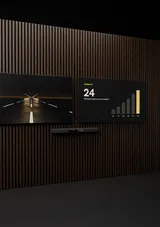
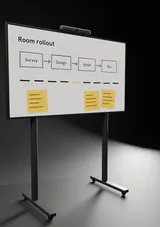
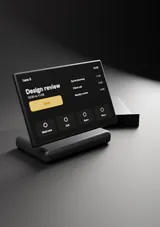
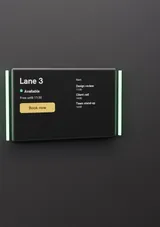
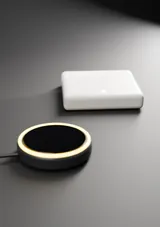
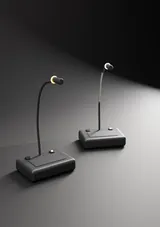
A walk through four of our room designs, rendered in 3D from our catalogue. The kit shown is generic.
  • Join a meeting with one touch
  • Everyone seen and heard
  • The same experience in every room
  • Faults found before people notice

Seven rooms

From a focus room to a town hall.

Each design fits the room's size and how it's used: the right camera, microphones and screen, and nothing the room doesn't need. Open a room to see what goes in it.

3D render of our focus room design

2 to 4 people · 3 × 2.7 m

Focus room

Quick calls for two to four people, started with one touch.

What goes in this room
Platform
Teams Rooms on Android
Display
One 55-inch display
Microphones
Built into the video bar
Video bar
Logitech Rally Bar Mini · Poly Studio X32 · Jabra PanaCast 40 VBS
Touch console
Logitech Tap IP · Poly TC10 · Jabra PanaCast Touch Console
Booking panel
Logitech Tap Scheduler 2 · Yealink RoomPanel E2 · Neat Pad Gen 2
Guest sharing
An HDMI or USB-C cable at the table

Teams Rooms Basic licenses up to 25 rooms at no extra cost.
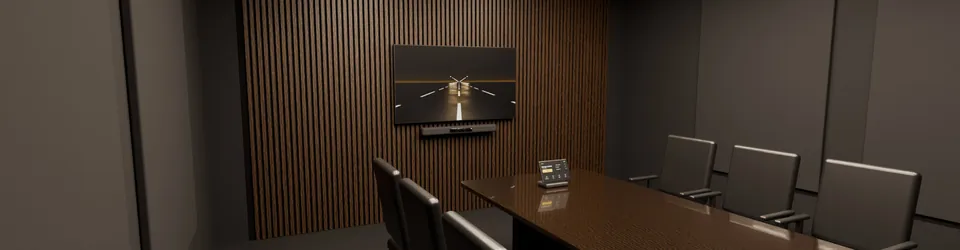
3D render of our small meeting room design

4 to 6 people · 4.9 × 4.9 m

Small meeting room

Everyday meetings for up to six, with clear sound at every seat.

What goes in this room
Platform
Teams Rooms on Android
Display
One 55 to 65-inch display
Microphones
Built into the video bar
Video bar
Logitech Rally Bar Mini · Poly Studio X32 · Yealink MeetingBar A40 · Neat Bar Gen 2
Touch console
Logitech Tap IP · Poly TC10 · Yealink CTP25 · Neat Pad Gen 2
Booking panel
Logitech Tap Scheduler 2 · Yealink RoomPanel E2 · Neat Pad Gen 2
Wireless sharing
Barco ClickShare CX-20, for rooms with frequent guests

Keep the front of the table about 1.5 m from the camera, so everyone is in shot.

3D render of our medium meeting room design

6 to 12 people · 5.5 × 6 m

Medium meeting room

Team meetings with people on one screen and content on the other.

What goes in this room
Platform
Teams Rooms on Android or Windows
Display
Two 65-inch displays
Microphones
The bar, plus mic pods down the table
Video bar
Logitech Rally Bar · Poly Studio X52 · Yealink MeetingBar A30 · Jabra PanaCast 50 VBS
Table microphones
Mic pods with a mute button, such as Logitech Rally Mic Pod
Touch console
Logitech Tap IP · Poly TC10 · Yealink CTP25
Displays
Two 65-inch displays, or one 75 to 86-inch
Booking panel
Logitech Tap Scheduler 2 · Poly TC10 · Yealink RoomPanel E2
Wireless sharing
Barco ClickShare CX-30 · Crestron AirMedia

Two screens need a Teams Rooms Pro licence.

3D render of our large meeting room design

12 to 16 people · 4.5 × 9.75 m

Large meeting room

Long tables where the far end still sees every face.

What goes in this room
Platform
Teams Rooms on Windows or Android
Display
Two 85-inch displays, or a projector
Microphones
Ceiling arrays, each covering about 3 m
Bar and cameras
Poly Studio X72 · Yealink MeetingBar A50 · Logitech Rally Bar with Logitech Sight
Ceiling microphones
Shure MXA920 · Sennheiser TeamConnect Ceiling 2 · Yealink CM50
Room computer and console
Lenovo ThinkSmart Core Gen 2 · Poly Studio 7 Room Compute · Logitech Tap
Displays
Two 85-inch displays, or a laser projector and screen
Booking panel
Logitech Tap Scheduler 2 · Crestron TSS-1080 · Neat Pad Gen 2
Wireless sharing
Barco ClickShare CX-50 Gen 2 · Crestron AirMedia

Each microphone covers the people within 3 m of it.

3D render of our boardroom design

16 to 24 people · About 7 × 11 m

Boardroom

A room built around one table, with cameras that find whoever is speaking.

What goes in this room
Platform
Teams Rooms on Windows
Display
LED wall, or two 98-inch displays
Microphones
Ceiling arrays over the whole table
Cameras
Huddly Crew · Poly Studio E70 · Crestron 1 Beyond i12 · Q-SYS NC-12x80
Ceiling microphones
Shure MXA920 · Sennheiser TeamConnect Ceiling 2 · Biamp Parlé TCM-XA · Audio-Technica ATND1061
Audio processor
Shure IntelliMix P300 · Biamp TesiraFORTÉ X · Q-SYS Core Nano · Extron DMP 128 Plus
Room computer and console
Lenovo ThinkSmart Core Gen 2 · Crestron Collab Compute · Yealink MCore kit
Room control
Crestron · Q-SYS · Extron, for lights, blinds and sources

Microphone zones, echo cancelling and camera presets are tuned in the room.

3D render of our training room design

20 to 40 people · About 8 × 9 m

Training room

Remote learners see the trainer, the board and the room.

What goes in this room
Platform
Teams Rooms on Windows
Display
Interactive board and an 86-inch display
Microphones
Wireless for the trainer, ceiling for the room
Trainer camera
Crestron 1 Beyond AutoTracker · Vaddio IntelliSHOT-M · AVer TR315
Room camera
Q-SYS NC-20x60 · Poly Studio E70
Microphones
Shure MXW neXt for the trainer, ceiling arrays for questions
Interactive board
Microsoft Surface Hub 3 · Logitech Rally Board 65 · Yealink MeetingBoard 86 Pro · Neat Board Pro 65
Content camera
Logitech Scribe, for a physical whiteboard
Recording
Teams recording, or a stand-alone lecture recorder

Desks face the front, so one camera sees every learner.

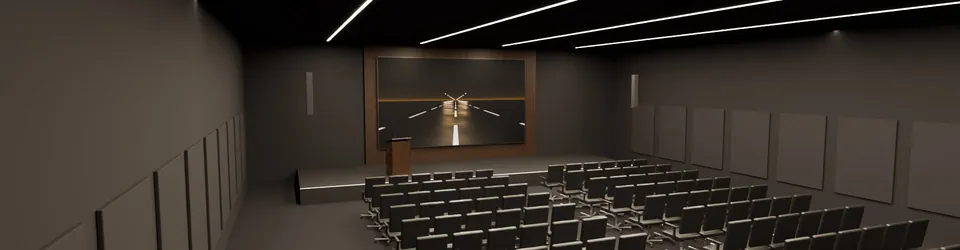
3D render of our town hall and auditorium design

50 to 300 people · Built to the space

Town hall and auditorium

All-hands meetings for the people in the hall and everyone watching online.

What goes in this room
Platform
Microsoft Teams town halls, or your own streaming
Display
LED wall on stage
Microphones
Wireless and lectern microphones
PTZ cameras
Q-SYS NC-20x60 · Crestron 1 Beyond p20 · Vaddio RoboSHOT 30E-M · AVer PTZ330UV2
Wireless microphones
Shure · Sennheiser · Audio-Technica handheld, lapel and headset mics
Mixing and processing
Q-SYS Core 110f · Biamp TesiraFORTÉ X · Extron DTP3 CrossPoint
Loudspeakers
Column or line-array speakers, with delay speakers in long halls
Stage screens
LED wall, plus a confidence monitor for the speaker
Streaming
Microsoft Teams town halls, or an encoder for your own platform

A full rehearsal before every event, so the day runs to plan.

The kit

Fifteen kinds of kit, chosen room by room.

We aren't tied to any maker. Open a category to see the types, where each fits, example models and what we check before it goes in.

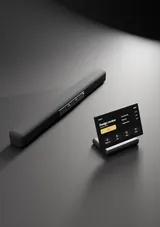
Video barsCamera, microphones and speakers in one bar under the display. Most run Microsoft Teams Rooms on Android, so there is no room PC to look after.

Where it fits: Focus, small and medium rooms, and many large rooms.

TypeForExamples
Small roomsUp to 6 peopleLogitech Rally Bar Mini · Poly Studio X32 · Jabra PanaCast 40 VBS · Neat Bar Gen 2
Medium rooms6 to 12 peopleLogitech Rally Bar · Poly Studio X52 · Yealink MeetingBar A30 · Jabra PanaCast 50 VBS
Larger rooms12 to 16 peoplePoly Studio X72 · Yealink MeetingBar A50 · Neat Bar Pro
USB barsAny meeting app on a laptopPoly Studio V52 · Yealink UVC40 · Logitech MeetUp 2

What we check

  • Certified for Microsoft Teams Rooms
  • Sized for the depth of the room
  • Camera at eye height, by the display
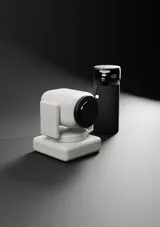
CamerasCameras that frame whoever is speaking, follow a presenter, or bring a whiteboard into the call.

Where it fits: Large rooms, boardrooms, training rooms and halls.

TypeForExamples
Intelligent camerasFrame the speaker or the groupPoly Studio E70 · Yealink SmartVision 80 · Huddly L1
Centre-of-table camerasFaces seen from the front, down long tablesLogitech Sight · Poly Studio E360
Multi-camera systemsBoardrooms with several viewsHuddly Crew · Q-SYS VisionSuite
PTZ camerasZoom, presets and long distancesQ-SYS NC-12x80 · Crestron 1 Beyond p20 · Vaddio RoboSHOT 30E-M
Tracking and content camerasTrainers and whiteboardsCrestron 1 Beyond AutoTracker · Logitech Scribe · Huddly Canvas

What we check

  • Camera at 1 to 1.1 m for a standard table
  • A field of view that covers every seat
  • Faces lit evenly, no window behind
MicrophonesCeiling, table and wireless microphones, placed so every voice reaches the far end clearly.

Where it fits: Any room bigger than a video bar can cover.

TypeForExamples
Ceiling arraysClear tables, no cablesShure MXA920 · Sennheiser TeamConnect Ceiling 2 · Biamp Parlé TCM-XA · Audio-Technica ATND1061
Table arraysHigh or open ceilingsShure MXA310 · Biamp Parlé TTM-X · Q-SYS NM-T1
Wall and line arraysCeilings out of reachShure MXA710 · Nureva HDL310
Wireless microphonesTrainers, panels and moving speakersShure MXW neXt · Audio-Technica Engineered Sound Wireless
Video bar add-onsA longer table than the bar can coverLogitech Rally Mic Pod · Neat Center

What we check

  • Every talker within 2 to 3 m of a mic
  • Microphones kept away from speakers
  • A mute light everyone can see
Speakers and audio processingProcessors that cancel echo and mix every microphone, and speakers that make the far end sound present.

Where it fits: Rooms with ceiling microphones, boardrooms and halls.

TypeForExamples
Audio processorsEcho cancelling and mixingShure IntelliMix P300 · Biamp TesiraFORTÉ X · Q-SYS Core Nano · Extron DMP 128 Plus
Ceiling speakersEven sound across the tableShure MXN5W-C · Biamp Desono C-IC6 · Extron SF 26CT LP
AmplifiersDriving passive speakersShure MXN-AMP · Extron XPA U 1004 SB · Bose P2600A
Networked audioMics, processor and speakers on one networkDante and AES67

What we check

  • Echo cancelling on every microphone
  • Speakers either side of the screen
  • Tuned in the room, with a measured result
Displays and projectionCommercial displays, projectors and LED walls, sized so the person at the back can read the slide.

Where it fits: Every room. The size follows the distance to the furthest seat.

TypeForExamples
Commercial displays55 to 98 inches, for long daily useSamsung · LG · Sony · Sharp NEC · ViewSonic
Laser projectors and screensLarge rooms and training roomsEpson · Panasonic · Sony · BenQ
LED wallsBoardrooms, lobbies and hallsSamsung · LG · Absen
Confidence monitorsSpeakers who face the audienceAny commercial display on a floor stand

What we check

  • At least 55, 65 or 85 inches, by room size
  • HDMI-CEC on, so screens wake up
  • A wall strong enough for the weight
Interactive boardsTouch screens you can write on, with the camera, microphones and Teams built in.

Where it fits: Workshops, training rooms and teams that sketch together.

TypeForExamples
Teams Rooms on WindowsFull Teams Rooms with whiteboardMicrosoft Surface Hub 3 · Yealink MeetingBoard Pro · MAXHUB XBoard
Teams Rooms on AndroidAll-in-one boardsLogitech Rally Board 65 · Neat Board 50 · Neat Board Pro 65 · Yealink MeetingBoard
Interactive panelsClassrooms and trainingBenQ · ViewSonic · MAXHUB · Samsung
Stands and mountsShared and moving spacesFloor stands with wheels, wall mounts

What we check

  • Pen and touch that feel natural
  • Whiteboards saved to the meeting
  • Wheels if the board moves between rooms
Touch consoles and controlOne touch to start the meeting, and one panel for lights, blinds and sources.

Where it fits: Every Teams Room, and rooms with lighting, blinds or several sources.

TypeForExamples
Teams Rooms consolesJoin, share and callLogitech Tap IP · Poly TC10 · Yealink CTP25 · Neat Pad Gen 2 · Crestron TS-1070
Control processorsRooms with many devicesCrestron · Extron · Q-SYS
Touch panelsLights, blinds, screens and sourcesCrestron · Extron · Q-SYS
ScenesOne button for each jobMeeting, presentation, video call, room off

What we check

  • One button to start
  • The same layout in every room
  • No remote controls to lose
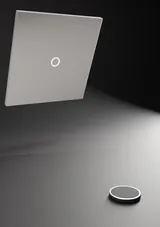
Booking panels and sensorsA panel outside each room shows who has it and when it is free, and books it on the spot.

Where it fits: Any office where rooms are hard to find.

TypeForExamples
Teams panelsBook, check in, see the dayLogitech Tap Scheduler 2 · Poly TC10 · Yealink RoomPanel E2 · Neat Pad Gen 2 · Crestron TSS-1080 · Q-SYS QSP 11
Occupancy sensorsHow each room is really usedYealink RoomSensor, or sensors built into bars and panels
Check-in and releaseRooms freed when nobody turns upRoom check-in with Teams Rooms Pro

What we check

  • The same bookings as Outlook
  • Status lights you can see from the corridor
  • Panels need a Teams Rooms Pro licence
Sharing and table connectionsGuests share a screen in seconds, with or without a cable, and the table stays tidy.

Where it fits: Rooms with visitors, and rooms where people bring their own laptops.

TypeForExamples
Wireless sharingFrom a laptop or phoneBarco ClickShare CX-20 · CX-30 · CX-50 Gen 2 · Crestron AirMedia
Table boxesPower, HDMI and USB-C at the tableExtron · Kramer
USB switchingA laptop takes over the room's camera and microphonesLogitech Swytch
ExtendersHDMI and USB over network cableExtron · Crestron · Kramer

What we check

  • Sharing in seconds
  • No adapters to lose
  • Guests on a separate network
Signal routing and networksSwitching, AV over IP and the network underneath, so every room can be reached and supported.

Where it fits: Boardrooms, divisible rooms, halls and whole floors.

TypeForExamples
SwitchersSeveral sources to several screensExtron · Crestron · Kramer
AV over IPVideo across a building on the networkCrestron DM NVX · Q-SYS NV Series · Extron NAV
Network switchesPower over Ethernet for mics, panels and camerasManaged PoE+ switches, such as the Netgear AV Line
Room networkTeams Rooms on a wired connectionAt least 10 Mbit/s for each room, wired where possible

What we check

  • A separate network for AV and rooms
  • Enough PoE power for every device
  • Remote access for monitoring
Personal and desk devicesHeadsets, webcams and speakerphones for desks, home offices and small huddles.

Where it fits: Hybrid desks, open offices and people who travel.

TypeForExamples
SpeakerphonesHuddles and travelJabra Speak2 75 · Poly Sync 60 · Yealink CP900
WebcamsDesks and home officesLogitech Brio · Yealink UVC30
HeadsetsOpen offices and calls on the moveJabra · Poly · Logitech · Yealink · EPOS
Desk displaysHot desks with Teams built inYealink DeskVision A24

What we check

  • Certified for Microsoft Teams
  • Noise-cancelling mics for open offices
  • Managed with the rest of the kit
Discussion and voting systemsA microphone at every seat, with request-to-speak, voting and interpretation.

Where it fits: Boards, councils, courts and assemblies.

TypeForExamples
Discussion systemsChair and delegate unitsBosch DICENTIS · Shure MXCW · Televic · Taiden
Voting and speaking timeFormal meetingsBuilt into most discussion systems
InterpretationMeetings in more than one languageInterpreter desks and listening receivers
Camera followThe camera turns to whoever speaksLinked to the room's PTZ cameras

What we check

  • One microphone for each person
  • A record of every speaker
  • Wired or wireless to suit the room
Digital signage and video wallsScreens for receptions, floors and cafeterias, all run from one place.

Where it fits: Lobbies, experience centres, cafeterias and floors.

TypeForExamples
Signage displaysRated for long hoursSamsung · LG · Sony
Players and contentSchedules, playlists and live dataBrightSign · Samsung VXT · LG SuperSign
Video wallsThin-bezel LCD or direct-view LEDSamsung · LG · Absen
Room and visitor screensWelcome, way-finding, room statusLinked to your calendars

What we check

  • Content from one place
  • Screens on a schedule
  • Remote health checks
Wireless mics and streamingMicrophones that move with the speaker, and the kit to record or stream any session.

Where it fits: Town halls, training, launches and events.

TypeForExamples
Wireless microphonesHandheld, lapel and headsetShure · Sennheiser · Audio-Technica
Event mixingPanels, questions and musicQ-SYS · Yamaha · Biamp
RecordingTraining and lecturesTeams recording, or a stand-alone recorder
StreamingAudiences outside the roomMicrosoft Teams town halls, or an encoder for your own platform

What we check

  • Charged spares for every microphone
  • Frequencies planned for the building
  • A test before every event
The room itselfAcoustics, light, mounts and power: the parts nobody sees and everyone hears.

Where it fits: Every room, before the kit goes in.

TypeForExamples
Acoustic treatmentLess echo, clearer voicesWall panels, ceiling clouds and carpet
LightingFaces lit evenly, no glare on screensDimmable overhead light, blinds or window film
Mounts and racksSafe, tidy installsChief · Peerless-AV · Vogel's · Middle Atlantic
Power and cablingClean power, labelled cablesA UPS for the rack, tested Cat6 and HDMI

What we check

  • At least two walls treated for echo
  • Carpet or another soft floor
  • Power and data at table and screen wall

Platforms

Teams Rooms, or any meeting app.

Most rooms run Microsoft Teams Rooms. Rooms for visitors or mixed teams can connect to a laptop instead.

Teams Rooms on Android

All-in-one bars and boards with nothing else to run. Quick to deploy and simple to update.

Best for: Focus, small and medium rooms

Teams Rooms on Windows

A room computer and touch console, with the widest choice of cameras and microphones.

Best for: Large rooms, boardrooms and training rooms

Bring your own device

The room's camera, microphones and screen connect to a laptop by USB, for any meeting app.

Best for: Visitor rooms and teams on several platforms

Teams Rooms licences

Teams Rooms Basic

Free with a certified system, for up to 25 rooms. One-touch join, content sharing, whiteboard and basic management.

Teams Rooms Pro

For any number of rooms. Adds dual screens, front row, intelligent audio and video, Teams panels, remote management and device analytics.

How we work

Seven steps, one team.

The same team surveys, designs, installs and runs your rooms.

  1. Survey

    Room audit, photos, network and power checks.

    You get: a room report

  2. Design

    Kit list, camera view, microphone cover and drawings.

    You get: drawings and a bill of materials

  3. Supply

    Kit quoted with the work, or your own kit fitted.

    You get: one order

  4. Install

    Mounting, cabling, racks and labels.

    You get: a tidy room

  5. Set up

    Teams Rooms accounts, licences, policies and updates.

    You get: rooms that sign in

  6. Commission

    Sound, picture and call tests against a sign-off sheet.

    You get: a signed test sheet

  7. Run

    Monitoring, remote support and planned visits.

    You get: faults found early

After go-live

Rooms that stay ready.

Room monitoring

Health, firmware and usage tracked, with alerts for faults.

Remote support and training

A service desk for rooms, quick guides and user sessions.

Annual maintenance

Planned visits, cleaning, firmware updates and spare parts planning.

Start here

Book a site survey.

We audit the room, check the network and power, and send you a room report. Then we design it, with drawings and a kit list.

Brand and product names belong to their owners and are shown as examples only. Whitelanes chooses kit room by room and is not tied to any maker. Models change often, so every quote confirms the current model, its Microsoft certification and its price. You can also write to contact@whitelanes.in.